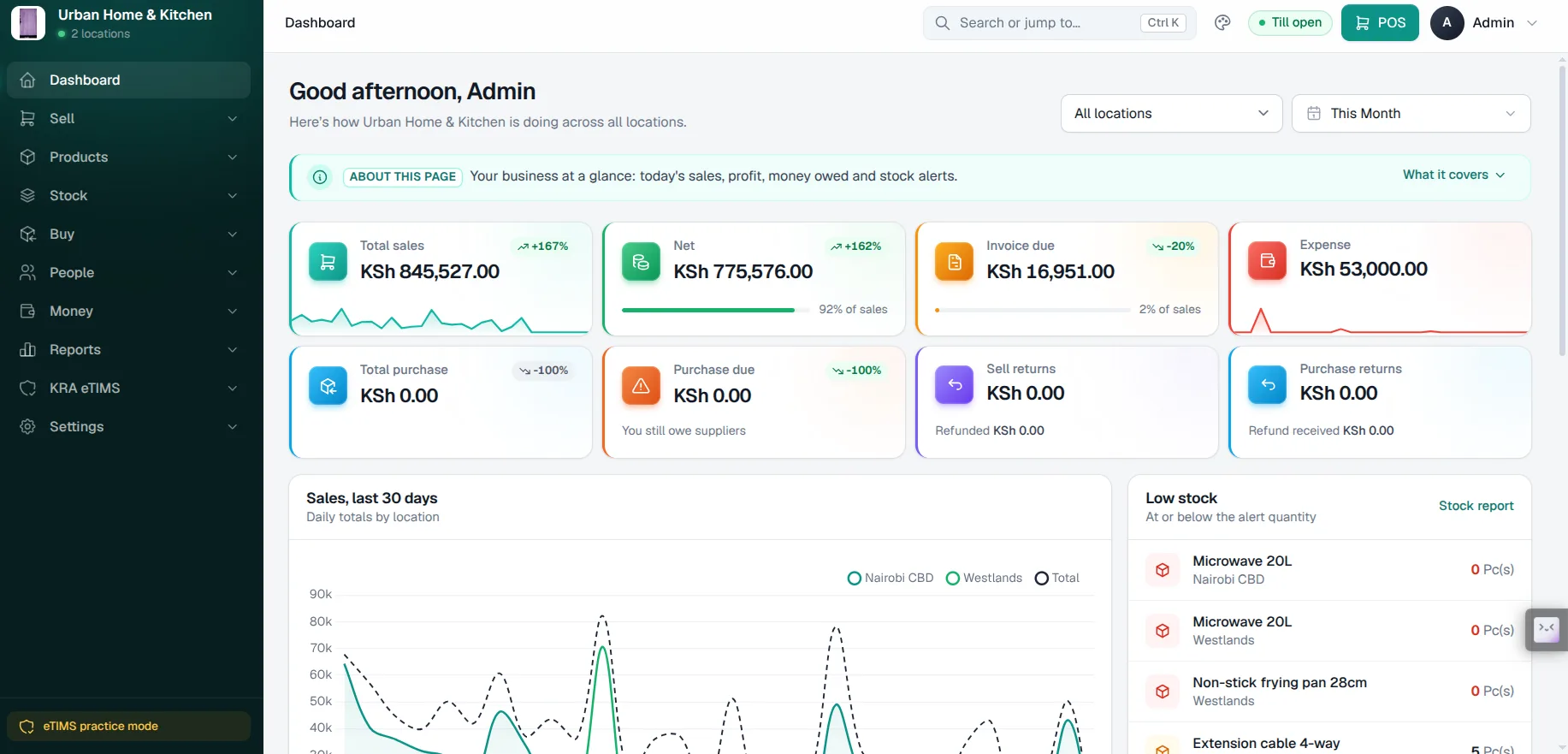
From the first sale of the morning to the report you read at closing, EUJIM POS keeps checkout, stock, purchases, invoices and branch performance in one clear workspace.
See what's available, what's moving and what needs replenishing.
Fast movers86%
Stock activity70%
Restock list6 items
Every branch, one view
Compare outlets and give each team the right visibility.
Store 1148,200
Store 2119,050
Store 398,400
In detail
Every feature, clearly explained.
What each one does, why it matters, and a realistic test to run during your demo.
Point of Sale Checkout
Fast sales at the counter
An efficient POS checkout should make it easy to find products, review prices, complete a sale and issue an accurate record. Staff also need a clear process for voids, discounts, returns and end-of-shift reconciliation.
Try it in your demo
Process sample baskets, compare payment channels and confirm the correct stock adjustments after each transaction.
Inventory accuracy depends on receiving goods correctly, recording every movement and investigating stock differences. EUJIM POS supports stock visibility; specialised batch, serial-number or recipe requirements should be validated during a demonstration.
Try it in your demo
Start with a sample purchase, receive the goods, make a sale and compare the reported closing quantities.
Business owners need practical answers: how much was sold, which products are moving, where activity is increasing and whether the daily figures reconcile. Reports should help teams make decisions rather than simply present attractive charts.
Try it in your demo
Review sales by day, product and outlet, then compare the dashboard with actual transactions.
Purchase records help you understand supplier costs, deliveries and incoming products. A dependable workflow should avoid double-counting stock and should distinguish items ordered from those physically received.
Try it in your demo
Check the journey from supplier paperwork to received stock and evaluate how partial deliveries are handled.
Consistent supplier records help businesses review procurement history and follow up on outstanding purchasing activity. Staff should be able to understand the relationship between suppliers, goods received and purchase costs.
Try it in your demo
Compare records for two suppliers supplying the same item and check how price changes are handled.
For businesses that capture customer information, well-organised records help teams find prior transactions and understand service needs. Collect only the data you need and protect it appropriately under applicable Kenyan privacy requirements.
Try it in your demo
Test how a customer is found and how their past transactions are reviewed with appropriate staff permissions.
Managing multiple shops requires each location to remain accountable while giving management visibility across outlets. Questions to assess include location-specific stock, sales, user permissions and branch reporting.
Try it in your demo
Create two sample locations and compare their transactions, stock levels and manager access.
Businesses need consistent sales documents and transaction records. Depending on the invoicing requirement, electronic tax invoicing and KRA eTIMS system-to-system integration may need additional onboarding and confirmation.
Try it in your demo
Generate a representative invoice and check what fields, references and tax-invoicing steps are available.
Managers and cashiers do different jobs. Define who can approve discounts, adjust stock, reverse transactions and see sensitive reports. Good permission design supports accountability and reduces operating risk.
Try it in your demo
Sign in as a cashier and manager and compare which transactions each role can complete.
Returns, exchanges and adjustments are part of normal trading. They should have a clear reason, responsible user and measurable effect on financial and inventory records.
Try it in your demo
Sell an item, process a return and confirm how the inventory and sales reports change.
A reliable business picture covers more than sales. Expenses such as transport, utility costs and general operating spending affect cash flow and profitability. Use consistent categories to make reporting more meaningful.
Try it in your demo
Record sample expenses and compare them with revenue in a selected reporting period.
Kenyan businesses should determine their applicable KRA electronic invoicing obligations and verify that their chosen POS workflow can meet them. System-to-system integration is subject to technical compatibility and the implementation scope.
Try it in your demo
Confirm the intended integration approach, approved requirements and responsibility for onboarding before making compliance claims.
Specialised capabilities, including hardware compatibility, offline operation, KRA eTIMS and external payment integrations, should be confirmed for your EUJIM POS deployment during a tailored demo.
Free, no-obligation demo
Ready to run a smarter business?
See EUJIM POS working with your own products, your supplier deliveries and your end-of-day routine. We'll put the quotation in writing.